
You post a listing, wait two days, and get three inquiries asking the same basic questions your ad already answers. Sound familiar? Incomplete or vague room rental listings waste your time, filter out serious renters, and let quality leads slip through the cracks. Listings that are more complete and accurate help match renters and reduce missed leads. This guide walks you through a repeatable framework, from preparation to follow-up, so your next listing works harder and fills your vacancy faster.
Table of Contents
-
How to build a high-converting room rental listing: Step-by-step
-
Following up and tracking results: Lead response and conversion
-
Take the headache out of room rental listings with RoomRentalManager
Key Takeaways
| Point | Details |
|---|---|
| Complete listings convert | Detailed, accurate listings attract more qualified leads and reduce mismatches. |
| Prep before you post | Gather all photos, rules, and rental details first for a faster, smoother process. |
| Centralize your info | Keep one up-to-date master version of your listing to avoid errors and wasted leads. |
| Respond quickly | Fast follow-up on leads significantly increases your chance of signing tenants. |
| Quality beats quantity | Investing in honest visuals and clear expectations up front pays off in better tenant relationships. |
What you need before you list: Preparation and essentials
Before you write a single word of your listing, you need to gather everything in one place. Skipping this step is the number one reason landlords end up with incomplete ads that generate low-quality leads and endless back-and-forth messages.
Here is everything you need to collect before you start:
-
Room details: Square footage, furnishings, closet space, window direction, and any unique features like a private entrance or en suite bathroom
-
Shared space details: Kitchen appliances, laundry access, parking spots, outdoor areas, and storage
-
Utilities and inclusions: Which utilities are covered (electric, gas, water, WiFi), which are split, and any caps or limits
-
Lease model: Are you renting room by room with individual agreements, or is it a joint lease where all tenants share responsibility?
-
House rules: Quiet hours, guest policies, pet rules, smoking restrictions, and cleanliness expectations
-
Price and availability: Monthly rent, security deposit amount, move-in date, and minimum lease term
A repeatable ad structure includes clear inclusions, house rules, and enough photos to reduce back-and-forth. That means gathering this information once and storing it in a format you can reuse every time a room turns over.
Pro Tip: Build a master spreadsheet with a tab for each property. Include every detail from the list above, plus a notes column for things that change seasonally (like heating costs). When a room opens up, you pull the sheet and update only what changed. This cuts your listing prep time in half.
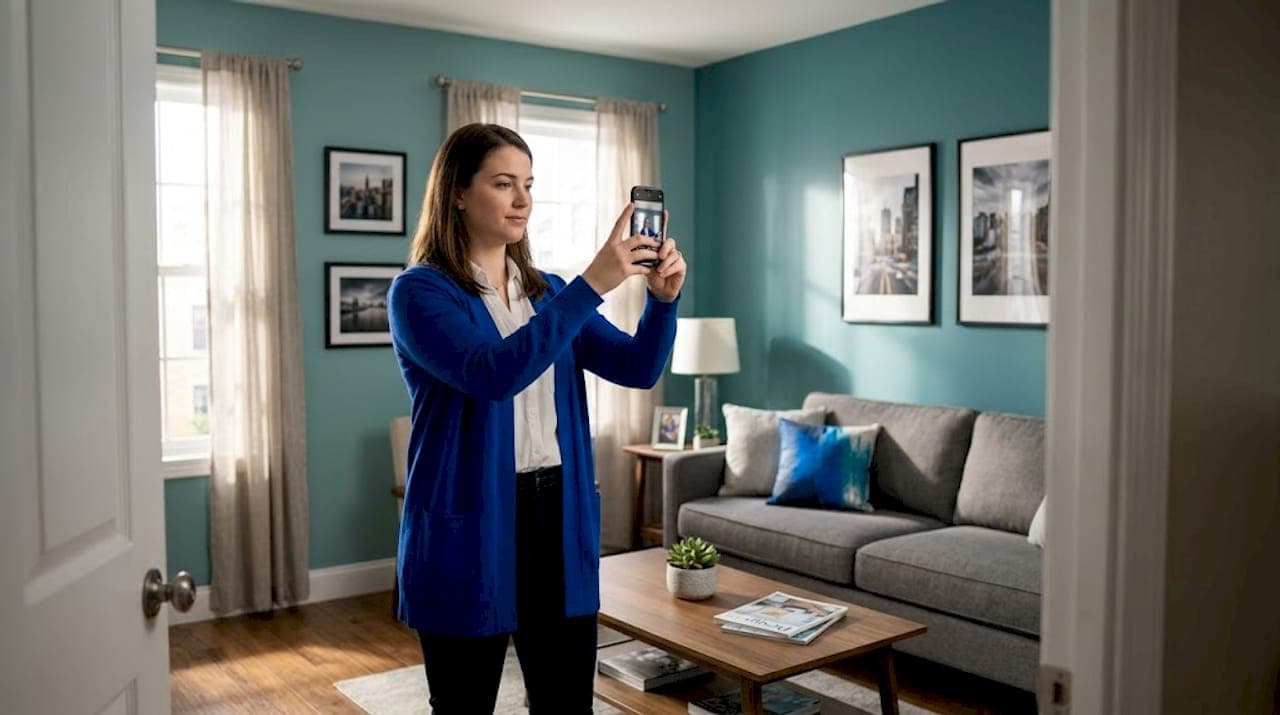
Photos matter more than most landlords realize. A dark, cluttered photo of a bedroom will lose a qualified renter to a competitor whose room looks nearly identical but is photographed in natural light. Shoot photos during the day, declutter before shooting, and cover every space a renter will use: the room itself, the closet, the bathroom, the kitchen, and any shared living areas.
Here is a quick reference table for what to prepare before listing:
| Category | What to include | Why it matters |
|---|---|---|
| Room details | Size, furnishings, features | Sets accurate expectations |
| Shared spaces | Kitchen, laundry, parking | Reduces post-move-in disputes |
| Utilities | What’s included, what’s split | Prevents billing confusion |
| Lease model | Individual or joint | Affects screening and agreements |
| House rules | Guests, pets, noise | Filters incompatible renters |
| Photos | Room, common areas, exterior | Drives inquiry volume |
Using room rental software to store and organize these details means you never have to hunt through old texts or emails to find your WiFi speed or parking policy again.
How to build a high-converting room rental listing: Step-by-step
Once you have all your information ready, here is how to assemble it into a listing that actually attracts quality renters.
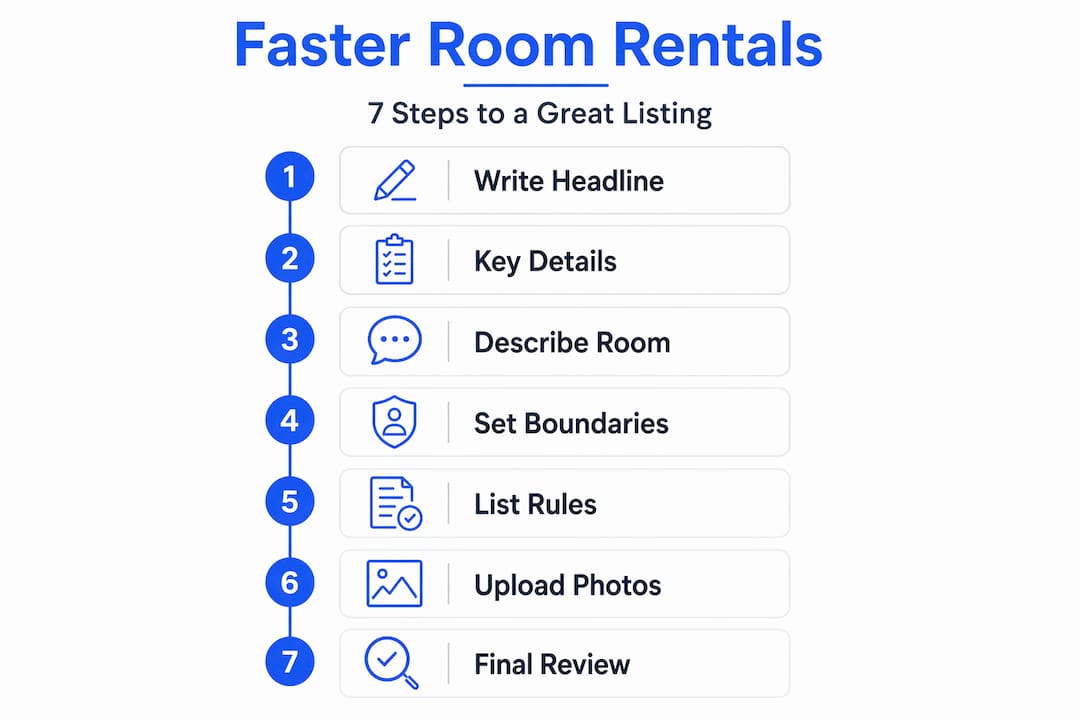
Step 1: Write a headline that does real work. Your headline is not just a label. It is your first filter. Include the monthly price, a standout feature, and the neighborhood or cross street. “Private room, $850/mo, includes WiFi and utilities, near downtown transit” tells a renter almost everything they need to know before they even click.
Step 2: Open with the most important details. Renters scan listings quickly. Put price, availability date, and what is included in the first two sentences. Do not bury these facts at the bottom.
Step 3: Write an honest, specific description. Optimizing listing content includes using detailed descriptions and visuals. Avoid vague phrases like “cozy room” or “great location.” Instead, say “120 sq ft room with a queen bed frame, two windows, and a large closet, located four blocks from the 38 bus line.” Specific descriptions attract renters who are genuinely compatible with your space.

Step 4: Spell out shared-space boundaries and expectations.Listings must specify shared-space boundaries, utilities and inclusions, roommate expectations, and who is on the lease. This is not optional. Ambiguity here leads to conflict after move-in, which costs you far more time than writing one clear paragraph now.
Step 5: Add your house rules as a short, scannable list. Bullet points work better than paragraphs for rules. Renters read them faster, and you can reference them easily if a dispute arises later.
Step 6: Upload photos in a logical order. Start with the room, then the bathroom, then the kitchen, then shared living areas, then any outdoor space or parking. Think of it as a virtual walkthrough. This order mirrors how a renter would tour the property in person.
Step 7: Review your listing for gaps before publishing. Read it as if you are a renter seeing it for the first time. What questions would you still have? If you can think of three, your listing needs more detail. Use your landlord resources to cross-check your listing against proven templates.
Pro Tip: Mention fast WiFi, dedicated parking, or in-unit laundry in your headline or first paragraph. These amenities are rare enough in shared housing that leading with them can double your inquiry rate compared to listings that mention them only at the bottom.
Here is a comparison of strong versus weak listing examples:
| Element | Weak example | Strong example |
|---|---|---|
| Headline | “Room for rent” | “Private room, $875/mo, WiFi included, 5 min to transit” |
| Description | “Nice room in shared house” | “Furnished 130 sq ft room, queen bed, large closet, south-facing windows” |
| Rules | “No parties” | “No overnight guests more than 2x/week, quiet hours 10pm to 7am” |
| Photos | 1 blurry bedroom shot | 7 photos: room, closet, bath, kitchen, living room, backyard, exterior |
| Availability | “Available soon” | “Available June 1, minimum 6-month lease” |
“Listings are strongest when they pair honest, unit-level visuals with clear communication.”
Once your listing is live, you will want a system for rental lead management so you can track who inquired, from which platform, and where they are in your screening process.
Where and how to post: Distribution, accuracy, and process
After crafting your listing, the next vital step is strategic distribution, putting your listing in front of more eyes without losing track of edits or leads.
The most effective platforms for room rentals include:
-
Rental-specific portals: Sites focused on shared housing and room rentals attract renters who are specifically looking for what you offer, not just browsing
-
Facebook Marketplace: High local traffic, free to post, and easy to share in community groups
-
Craigslist: Still one of the highest-volume sources for room rental inquiries in most U.S. cities, especially for budget-conscious renters
-
Community boards and local groups: Neighborhood Facebook groups, university housing boards, and employer relocation networks can generate highly targeted leads
The biggest mistake landlords make during distribution is letting listings drift. You update the price on one platform but forget to change it on two others. A renter sees the old price, contacts you, and feels misled when you quote something different. That lead is gone.
Aligning marketing distribution with a single source of truth for listing details helps avoid fragmentation and lead leakage. In practice, this means keeping one master document (or one software dashboard) where all your listing details live, and updating that source before pushing changes to any platform.
Here is a platform comparison to help you prioritize your distribution:
| Platform | Typical lead volume | Update frequency needed | Cost |
|---|---|---|---|
| Facebook Marketplace | High | Weekly | Free |
| Craigslist | High | Every 48 hours | Free or low |
| Rental-specific portals | Medium to high | As needed | Varies |
| Community/local groups | Low to medium | Monthly | Free |
| Employer/university boards | Low | Per opening | Free |
Pro Tip: Use room rental software tools that let you update your listing details in one place and push those changes across platforms. Manually updating five platforms every time your price or availability changes is a time drain that compounds over multiple properties.
Tracking where your leads come from is just as important as posting widely. If you do not know which platform sends you the best renters, you cannot focus your energy there. Set up inquiry tracking from day one so you can see patterns over time. You may find that Facebook Marketplace sends volume but Craigslist sends renters who convert at a higher rate. That insight is worth real money.
Following up and tracking results: Lead response and conversion
Now that your listing is visible and accurate everywhere, the final step is to manage the incoming leads for maximum occupancy and satisfaction.
Speed is everything in lead response. Here is a simple process that converts more inquiries into signed leases:
-
Set a response target of 60 minutes or less. A listing that converts combines strong digital presentation with a fast inquiry response standard. Renters shopping for rooms often contact three to five landlords at once. The first to respond with useful information wins.
-
Create two or three templated responses. One for initial inquiries, one for scheduling a showing, and one for post-showing follow-up. Templates save time without feeling robotic if you personalize the first line with the renter’s name and their specific question.
-
Log every inquiry immediately. Record the renter’s name, contact method, the platform they came from, the date, and the current stage (new, scheduled, toured, declined, approved). A simple spreadsheet works, but dedicated rental inquiry tracking software keeps this organized automatically.
-
Follow up with leads who go quiet. If someone asked a question and you answered but never heard back, send one short follow-up after 48 hours. Many renters are juggling multiple options and a brief nudge brings them back.
-
Review your conversion data monthly. How many inquiries did you receive? How many became showings? How many became signed leases? If you are getting inquiries but few showings, your listing is attracting the wrong renters. If you are getting showings but few leases, your screening or pricing may need adjustment.
Fast responses directly boost conversion rates. Landlords who reply within one hour convert inquiries to leases at a significantly higher rate than those who wait 24 hours or more.
Using lead management systems that centralize all of this data means you spend less time digging through messages and more time actually filling your rooms.
Why a great listing is your single highest ROI lever
Here is the part most landlords skip: thinking about what a listing actually does beyond attracting clicks.
A well-built listing is not just an advertisement. It is a screening tool. When you spell out your house rules, your lease model, your expectations for shared spaces, and your availability, you are not just informing renters. You are filtering them. The renter who reads your detailed listing and still inquires is already a better fit than the one who responds to a vague ad and finds out the details later.
Experienced operators treat their listings the way serious businesses treat their sales processes. They build standard operating procedures (SOPs) for listing creation, photo updates, and platform distribution. Every time a room turns over, the process is the same. The quality is consistent. The results are predictable.
Most landlords think of a bad listing as a minor inconvenience. In reality, a weak listing costs you in three compounding ways: longer vacancy (lost rent), more time spent answering repetitive questions (lost hours), and worse tenant matches (higher turnover). A single vacancy that lasts two extra weeks because your listing was vague can cost you hundreds of dollars. Multiply that across a year and multiple units, and the math becomes very clear.
The upfront investment in building a great listing, complete with professional room rental tools to manage it, pays dividends every single time a room turns over. Serious operators do not treat listings as a chore. They treat them as a core business asset.
While this guide focuses heavily on room-rental workflows, the same listing and follow-up principles also apply to shared housing, furnished rentals, apartment-style listings, single-family rentals, small housing portfolios, and other housing providers that need a clearer way to present availability, collect inquiries, and follow up with prospects.
Take the headache out of room rental listings with RoomRentalManager
Managing room rental listings across multiple platforms while tracking leads and following up with renters is a lot to juggle manually. Most landlords end up copying and pasting the same information into texts, emails, Facebook replies, and Craigslist messages, then losing track of who said what and where.
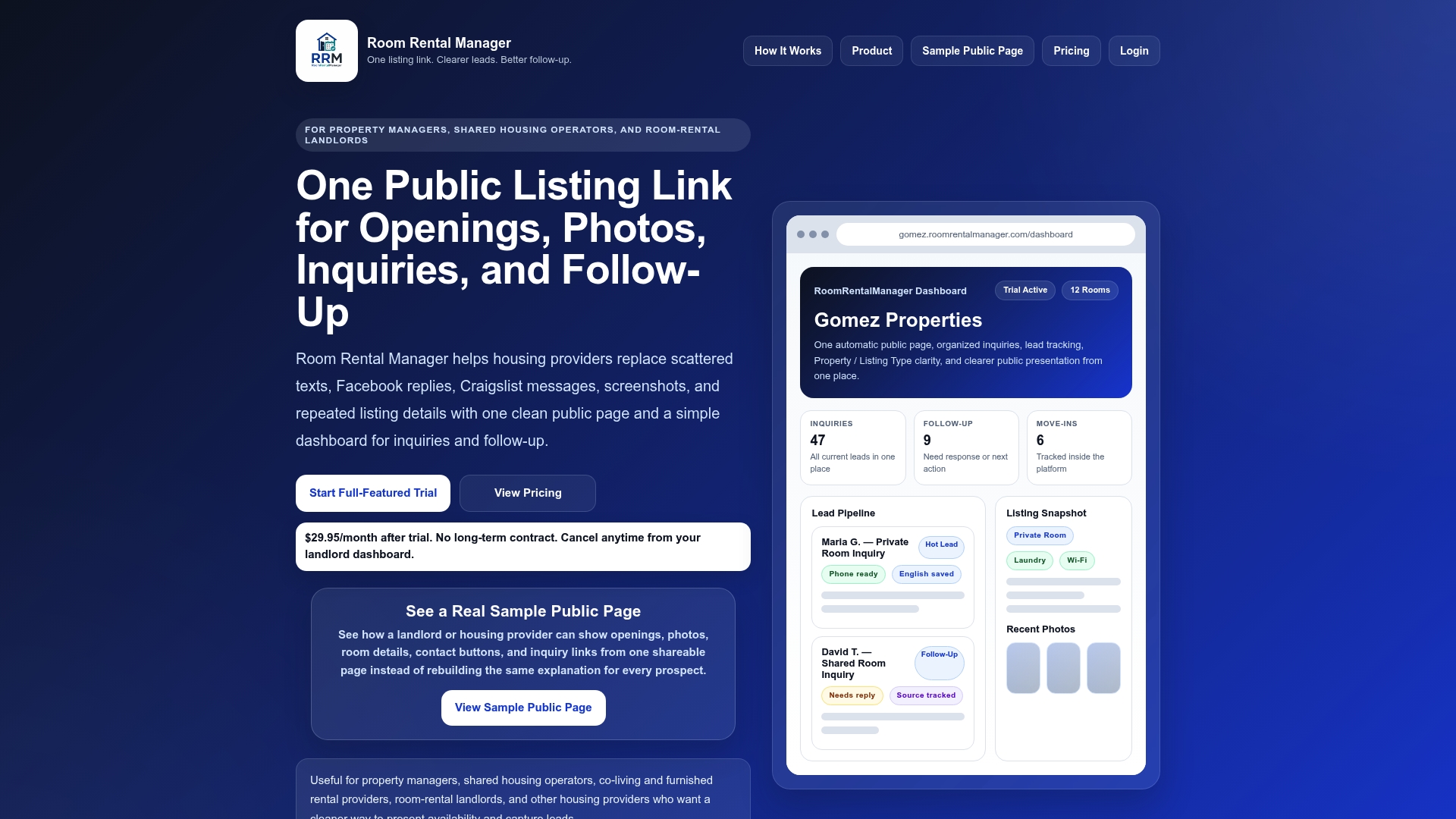
Room Rental Manager gives landlords, property managers, shared housing operators, room-rental landlords, furnished rental providers, and housing providers one clean public listing page where property details, photos, contact options, and inquiry forms live. Share one link with every interested prospect, collect inquiries in one place, track where leads came from, and follow up more professionally from a simple dashboard.
Frequently asked questions
What details should I always include in a room rental listing?
Include price, amenities, what is included (utilities and WiFi), clear house rules, availability date, and photos showing all relevant spaces. A repeatable room-leasing ad structure covers inclusions, house rules, and enough photos to reduce back-and-forth.
How many photos should my room rental listing have?
Aim for at least 5 to 8 high-quality photos covering the room, bathrooms, kitchen, and shared areas. At least 5 to 8 photos from multiple angles, including common areas, gives renters enough visual information to make a confident inquiry.
Why do some landlords miss out on good leads?
Leads are lost due to incomplete information, vague or inconsistent listings, and slow responses to inquiries. Listing performance depends on process, and common mistakes include weak photos, vague descriptions, slow replies, and unclear screening expectations.
How fast should I reply to rental leads to get the best results?
Responding within one hour can significantly increase your chances of converting inquiries to tenants. Speed and transparency improve conversion, and lead response time is one of the most important performance indicators for rental operators.
Can I post the same listing on multiple sites without confusion?
Yes, but only if you manage one source of truth and keep details consistent across all platforms. Aligning distribution with a single source of truth for listing details prevents fragmentation and lead leakage across platforms.