

TL;DR:
- Many landlords struggle with outdated or broken social media links that hinder tenant inquiries. Using a centralized, trackable listing URL with UTM parameters can effectively drive qualified leads and prevent scams. Focusing on two key platforms and leveraging management tools simplifies marketing, enhances trust, and improves vacancy fill rates efficiently.
You post a rental on Facebook, get 40 comments, and somehow end up with zero qualified applicants. Sound familiar? The problem usually isn't your property. It's that your rental listing link for social media is either missing, buried, broken, or sending people to an outdated page that raises more questions than it answers. This guide walks you through exactly how to build, share, and track listing links across the platforms where renters actually spend their time, so you spend less time answering the same questions over DM and more time signing leases.
Table of Contents
- Key Takeaways
- What a Rental Listing Link Does for Social Media Sharing
- How to build and track your rental listing link
- Best platforms for sharing rental listing links
- Protecting your listing from social media scams
- Setting up a lead tracking workflow
- My honest take on what actually works
- How Room Rental Manager simplifies your listing link strategy
- FAQ
Key Takeaways
| Point | Details |
|---|---|
| One link, one source of truth | A single shareable listing URL prevents conflicting info and reduces repeat inquiries across platforms. |
| UTM tags reveal what works | Adding UTM parameters to your listing link shows you exactly which platform and post drives real tenant leads. |
| Platform strategy matters | Each social media platform attracts different renter types and requires a different content approach for your listing link. |
| Scam prevention is non-negotiable | Routing all inquiries through a verified official link protects both you and prospective tenants from fraud. |
| Tracking turns data into decisions | A lead triage workflow connected to your listing link lets you measure campaign quality and improve over time. |
What a Rental Listing Link Does for Social Media Sharing
A rental listing link is a single, publicly accessible URL that holds everything a prospective tenant needs to know about your property. Photos, pricing, available date, house rules, contact options, and application instructions all live in one place. When someone clicks that link from any social post, they land on a page that answers their questions without you lifting a finger.
This matters more than most landlords realize. When you post rental details directly in a Facebook caption or Instagram description, you create fragmented information that can get outdated the moment you change the price or move-in date. Anyone who saved your old post sees incorrect details. Anyone who screenshots it and shares it spreads that incorrect version further. A centralized listing page prevents mismatched information between your social posts and your actual terms, which is one of the leading causes of wasted inquiry time.
The role of a rental listing link goes beyond convenience. It controls the user journey. A prospect who clicks your link and lands on a clean, complete listing page is far more likely to follow through with an inquiry than someone who reads a paragraph in a comment thread and has to track you down for the rest of the details. Here is what a well-built listing link does for you:
- Reduces duplicate questions by answering them upfront on the listing page
- Keeps all your social posts consistent since they all point to the same URL
- Lets you update your listing in one place instead of editing five different posts
- Creates a professional first impression that builds trust before you ever speak to a tenant
- Gives you a trackable entry point so you know where your leads are coming from
Pro Tip: Never paste your listing details directly into a social media caption as your primary strategy. Write a short, compelling post that creates curiosity, then let the link do the heavy lifting.
How to build and track your rental listing link
Creating a rental listing link that actually tells you something requires a few extra steps beyond just copying a URL. The most useful tool for this is UTM parameters. These are short tags you add to the end of your listing URL that tell your analytics platform exactly where a visitor came from and what campaign sent them.
A standard UTM setup uses three core parameters: utm_source identifies the platform (instagram, facebook, tiktok), utm_medium identifies the channel type (social), and utm_campaign identifies the specific effort (july_vacancy or downtown_studio_2026). When someone clicks your tagged link and lands on your listing page, Google Analytics or your property management platform records that source so you can see which posts and platforms drive real traffic.
Here is how to build a trackable listing link from scratch:
- Start with your base listing URL, for example: "https://yourlistingpage.com/unit-3b`
- Open a UTM builder tool and enter your base URL
- Set utm_source to the platform name (facebook, instagram, tiktok, youtube)
- Set utm_medium to "social"
- Set utm_campaign to a short, consistent name like "aug_2br_listing" that you will reuse across the year
- Copy the full tagged URL generated by the tool
- Paste that URL into a shortener like Bitly or TinyURL to clean it up for posting
URL shorteners preserve all your UTM data while giving you a link that looks clean instead of a messy string of parameters. On platforms like Instagram where you can not make every caption link clickable, the short version is easier to type or remember.
| Platform | UTM source tag | Where to place the link |
|---|---|---|
| Post caption, Marketplace listing, group post | ||
| Bio link, story swipe-up (if eligible), link sticker | ||
| TikTok | tiktok | Bio link, pinned comment |
| YouTube | youtube | Video description, pinned comment |
| Post text, article body |
Pro Tip: Keep your campaign names stable across the year. Consistent campaign naming lets you compare performance month over month and year over year so you can spot what works and cut what does not.
Best platforms for sharing rental listing links
Not every social platform works the same way, and your rental property social media strategy should reflect that. The audience on LinkedIn skews toward corporate relocations and furnished executive rentals. Instagram attracts younger renters who respond to visual content. TikTok pulls in first-time renters who want a feel for the property before they ever inquire. Matching your content format to the platform is just as important as having a link to share.
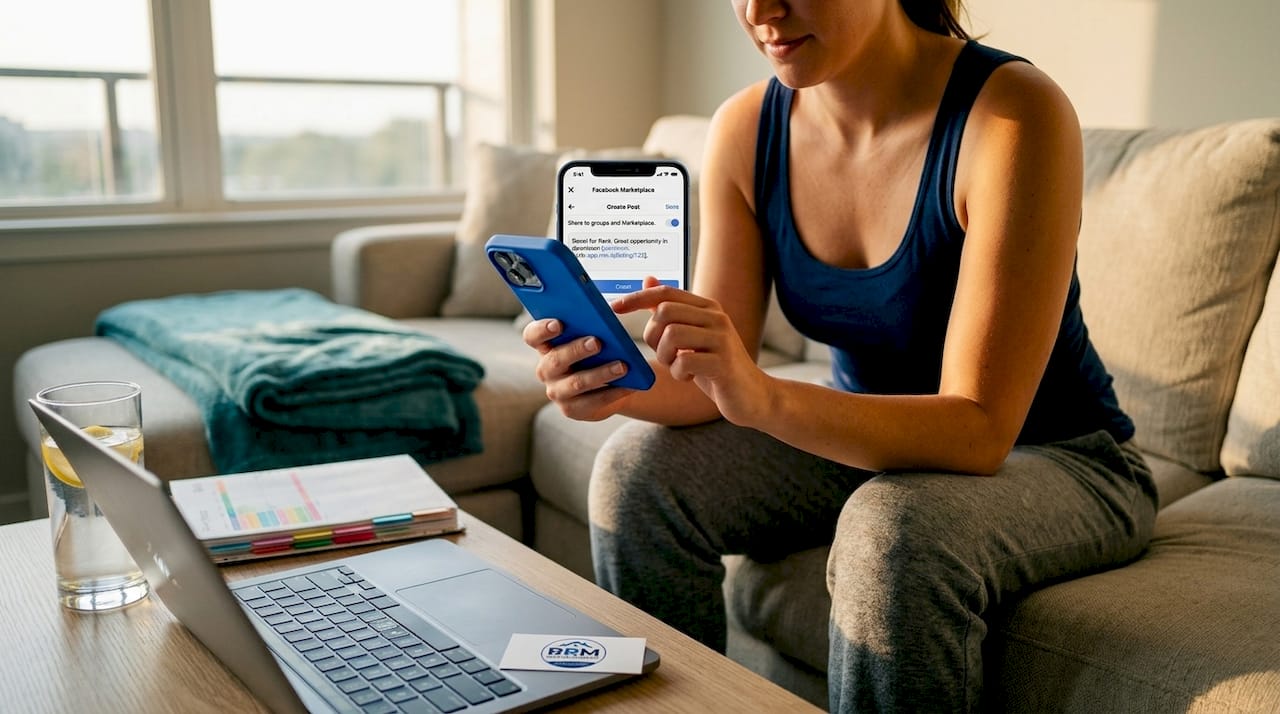
Different renter demographics respond to different content styles, so tailoring how you share your listing link on each platform leads to better engagement and more qualified leads. Here is how to approach the best platforms for rental links:
Facebook remains one of the strongest platforms for local rental searches. Facebook Marketplace allows you to post with direct listing links, and local community groups let you reach renters who are actively looking in specific neighborhoods. Paid ads on Facebook also allow precise demographic and geographic targeting, meaning you can put your listing link in front of the exact renter profile you want. Always include your link in both the post body and the comments, since Facebook's algorithm sometimes reduces reach on posts with external links.
Instagram is built for visual impact. Short video walkthroughs, photo carousels of the best rooms, and before-and-after renovation shots all perform well here. The catch is that captions are not clickable, so your listing link needs to live in your bio. Use the caption to direct followers there explicitly: "Full details and photos at the link in bio." If your account qualifies, use story link stickers to send viewers directly to your listing page from stories.
TikTok works surprisingly well for rental marketing when you show real footage. A genuine 60-second walkthrough that captures natural light, storage space, and neighborhood feel builds more trust than a polished promotional video. Place your listing link in your bio and reference it verbally in the video itself.
YouTube is underused by most landlords and that is exactly why it works. A detailed 3 to 5 minute property tour lives permanently on YouTube, gets indexed by Google, and gives your listing link a long-term traffic source beyond social feeds. Place the link in the video description and pin it in the comments.
Pro Tip: When promoting rental properties on social media across multiple platforms, always link to the same listing URL. This keeps information consistent and lets you compare platform performance through UTM data instead of guessing.
Protecting your listing from social media scams
Rental scams are not a fringe problem. Around 65,000 rental scam complaints have been reported since 2020, with victims losing thousands of dollars each. The scam pattern is almost always the same: a fraudster copies your listing photos and details, posts a fake version at a lower price, collects a deposit from an eager renter, and disappears. You end up with a reputation problem you did not cause.
The most effective defense is making your official listing link the undisputable authority on your property. When every social post, every DM reply, and every comment points to one verified page with consistent information, it becomes much harder for scammers to pass off a fake version as legitimate.
Important: Never collect application fees, deposits, or personal information through social media DMs or comment threads. Always route those interactions through your official listing page, which should include a secure application form and clear contact information under your verified name or business.
Practical steps to protect yourself and prospective tenants include:
- Watermark your property photos with your business name or website before posting them publicly
- Include a clear disclaimer in your social posts: "This property is only listed at [your official link]. We never collect payments through social media."
- Respond to inquiries with a link to your official page rather than answering all questions inside the DM thread
- Report any duplicate fake listings to the platform immediately using their official reporting tools
- Verify your social media accounts where the platform allows it, since a checkmark or verified badge adds credibility
Extra verification steps and routing inquiries through official URLs significantly reduce the risk of scams affecting both landlords and the tenants trying to rent from them. Protecting tenants here also protects your reputation.
Pro Tip: Consider using a scam-aware rental platform that provides verified landlord profiles and official listing pages, giving prospective tenants an additional layer of confidence before they ever reach out.
Setting up a lead tracking workflow
Getting clicks on your listing link is only half the work. The other half is understanding which clicks turn into real tenants and which platform is wasting your time. A lead triage system solves both problems at once.
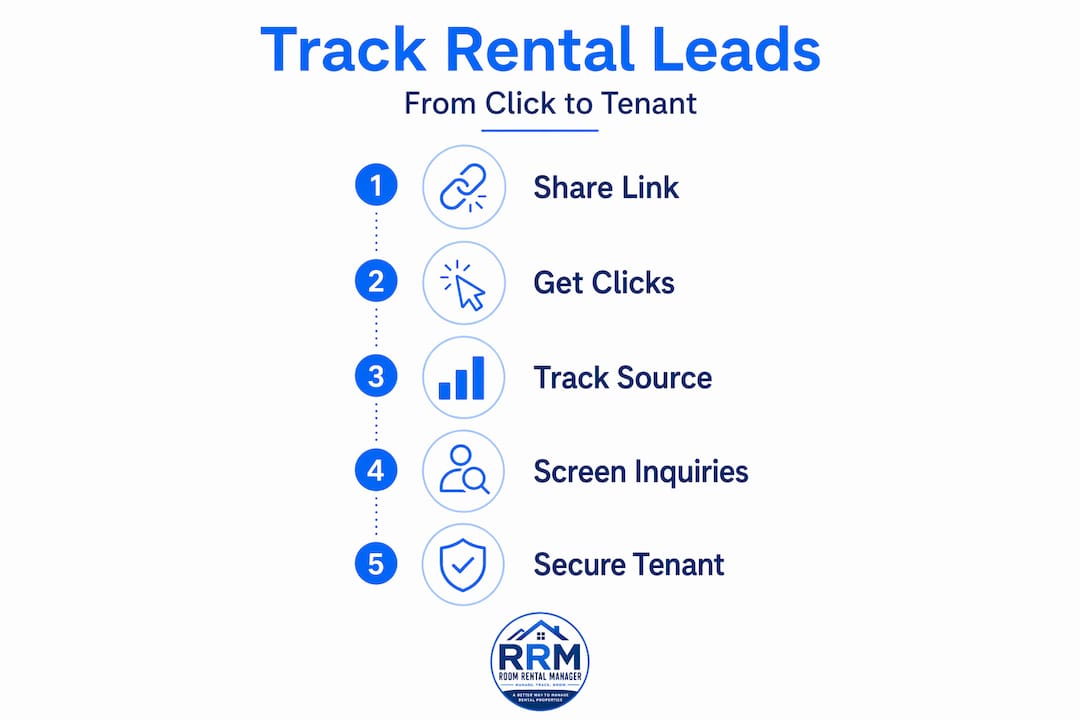
The concept is straightforward. You share your listing link across multiple platforms with different UTM tags. Interested renters click through and land on your listing page. You collect their inquiry through a form on that page. Your analytics data then shows you which platform sent each inquiry, and over time, you can see which platforms deliver the most qualified leads, not just the most traffic.
Here is a simple workflow that any landlord can set up:
- Create your base listing page with all property details and an inquiry form
- Build separate UTM-tagged links for each platform using a UTM builder
- Post your listing on each platform using the platform-specific tagged link
- Use the inquiry form to collect name, move-in date, and household size (keep it short)
- Check your analytics weekly to see which platform is sending the most form submissions
- Follow up with inquiries from highest-converting platforms first, and adjust your posting time and frequency on underperforming platforms
| Metric to track | What it tells you |
|---|---|
| Clicks per platform | Which platform drives the most traffic to your listing |
| Inquiry form submissions | Which platform sends people who actually want to rent |
| Conversion rate (clicks to inquiries) | Which platform delivers the most motivated renters |
| Time-to-response needed | Which channels require the fastest follow-up to convert leads |
A lead triage workflow that combines initial social media screening with tracked routing to your official listing page reduces duplicate questions and gives you real data to improve your marketing over time. Pair this with rental inquiry tracking tools to manage lead sources and follow-up from a single dashboard.
For a deeper look at what listing details attract the highest quality tenant leads in the first place, the landlord's guide to quality leads is worth reading before you build your listing page.
My honest take on what actually works
I've watched landlords pour real money into Facebook ads and walk away with nothing to show for it except a flood of low-quality DMs. The pattern is almost always the same. They send traffic to a listing that is incomplete, asks people to message for details, and has no clear next step. UTM tags are completely absent, so they have no idea what worked.
What I've found actually works is boring in the best way. One clean listing page. One link shared everywhere with proper UTM tags. Clear pre-qualification information baked directly into the listing so that only serious applicants bother reaching out. That's it.
The scam angle is one most landlords underestimate until it happens to them. I've seen landlords lose prospective tenants because a scammer posted a fraudulent copy of their listing at half the price. Those tenants never came back, even after the landlord explained the situation. The damage to trust is real. Making your official listing link the obvious, verified, only source of truth is not optional. It's the foundation.
My take on platforms: stop trying to be everywhere. Pick two platforms where your target renter type actually spends time. Master those. Use UTM data to prove they are working before expanding further. Spreading thin across six platforms with generic posts is a worse outcome than focused, high-quality content on two with your listing link doing real work. Experiment. Measure. Cut what doesn't convert.
— JAMES
How Room Rental Manager simplifies your listing link strategy
Managing a rental listing across five social platforms without a central tool is how landlords end up with outdated information scattered across the internet and no idea which post is actually filling vacancies. Room Rental Manager was built specifically to solve this.
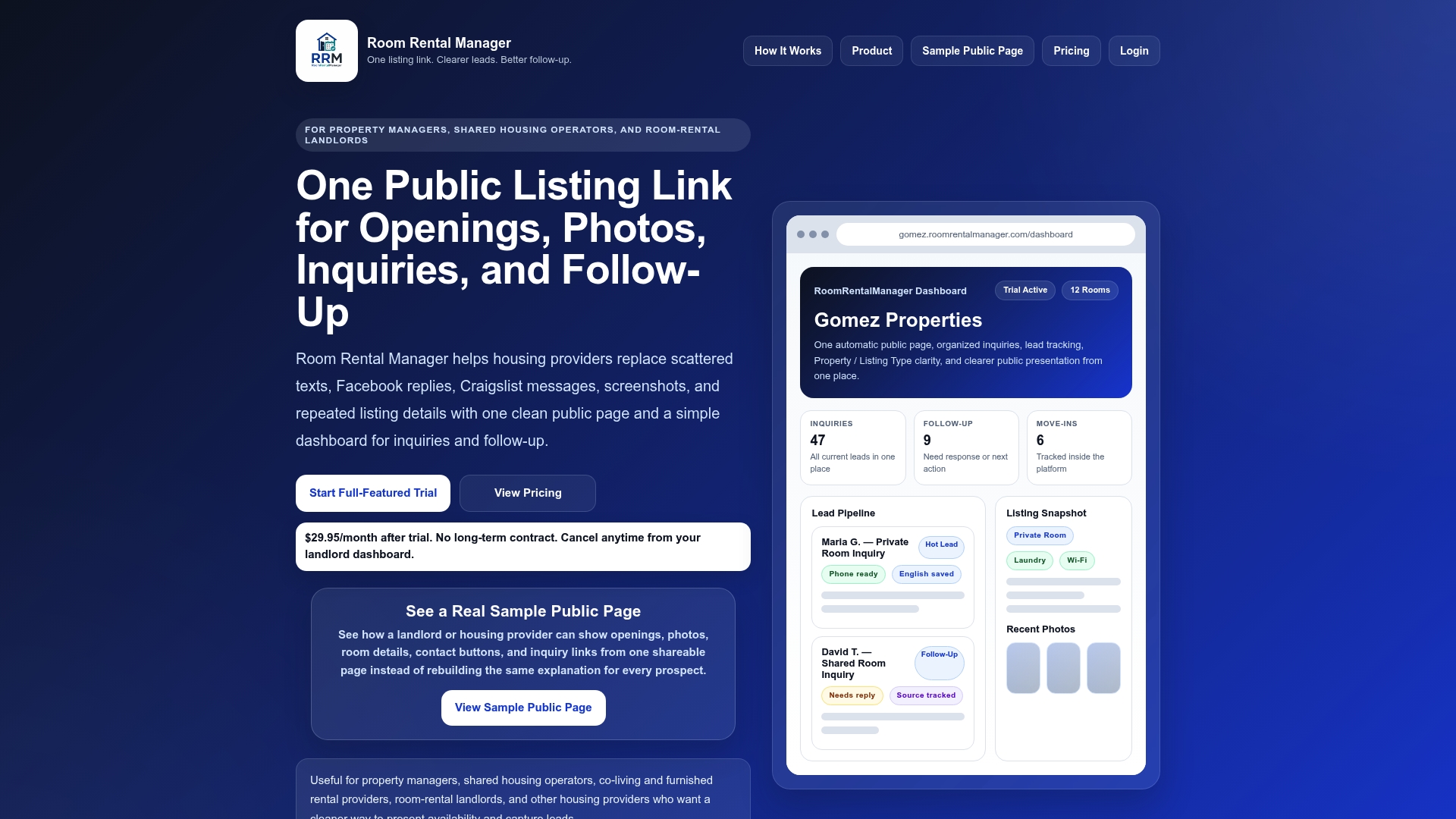
With Room Rental Manager, you get one clean public listing page that includes your photos, pricing, availability, property details, and a built-in inquiry form. That page has a single shareable URL you can drop into any social post, bio link, or message thread across all your platforms. When you update your listing details, every link pointing to that page reflects the change instantly. No more editing five different posts. No more tenants calling about a price you changed three weeks ago.
The platform also captures where each inquiry came from, so you can see which social media efforts are delivering real leads. If you want to take your marketing further, the landlord resources hub includes guides on building better listings, writing posts that attract serious renters, and tracking performance over time. Stop repeating yourself in DMs and start letting one solid link do the work.
FAQ
What is a rental listing link for social media?
A rental listing link is a single URL that directs prospective tenants to a complete, centralized page with all property details, photos, pricing, and an inquiry form. Sharing this one link across your social platforms keeps information consistent and eliminates the need to answer the same questions repeatedly in comments or DMs.
How do UTM parameters help landlords track social media leads?
UTM parameters are tags added to your listing URL that tell your analytics platform exactly which social post or platform sent each visitor. When a prospective tenant clicks your tagged Facebook link versus your tagged Instagram link, your analytics shows you which source generated the inquiry, helping you invest more in what works.
Which social media platform is best for sharing rental listings?
Facebook Marketplace reaches the broadest local audience and supports direct listing links with paid targeting options. Instagram works well for visually appealing properties, YouTube for detailed tours that generate long-term search traffic, and TikTok for reaching younger first-time renters. The best platform depends on your property type and target renter demographic.
How can landlords protect their listings from social media rental scams?
Watermark your photos, include an official link disclaimer in every post, and never collect payments or sensitive information through social media DMs. Routing all inquiries through your official verified listing page is the single most effective safeguard against fraudulent duplicate listings.
How many social media platforms should landlords post rental listings on?
Start with two platforms where your target renter type is most active, use UTM-tagged links on each, and measure which platform delivers the better inquiry quality before expanding. Focused posting on two well-chosen platforms consistently outperforms scattered posting across six.